Getting Started
The dashboard
How to manage your QReady queue in seconds.
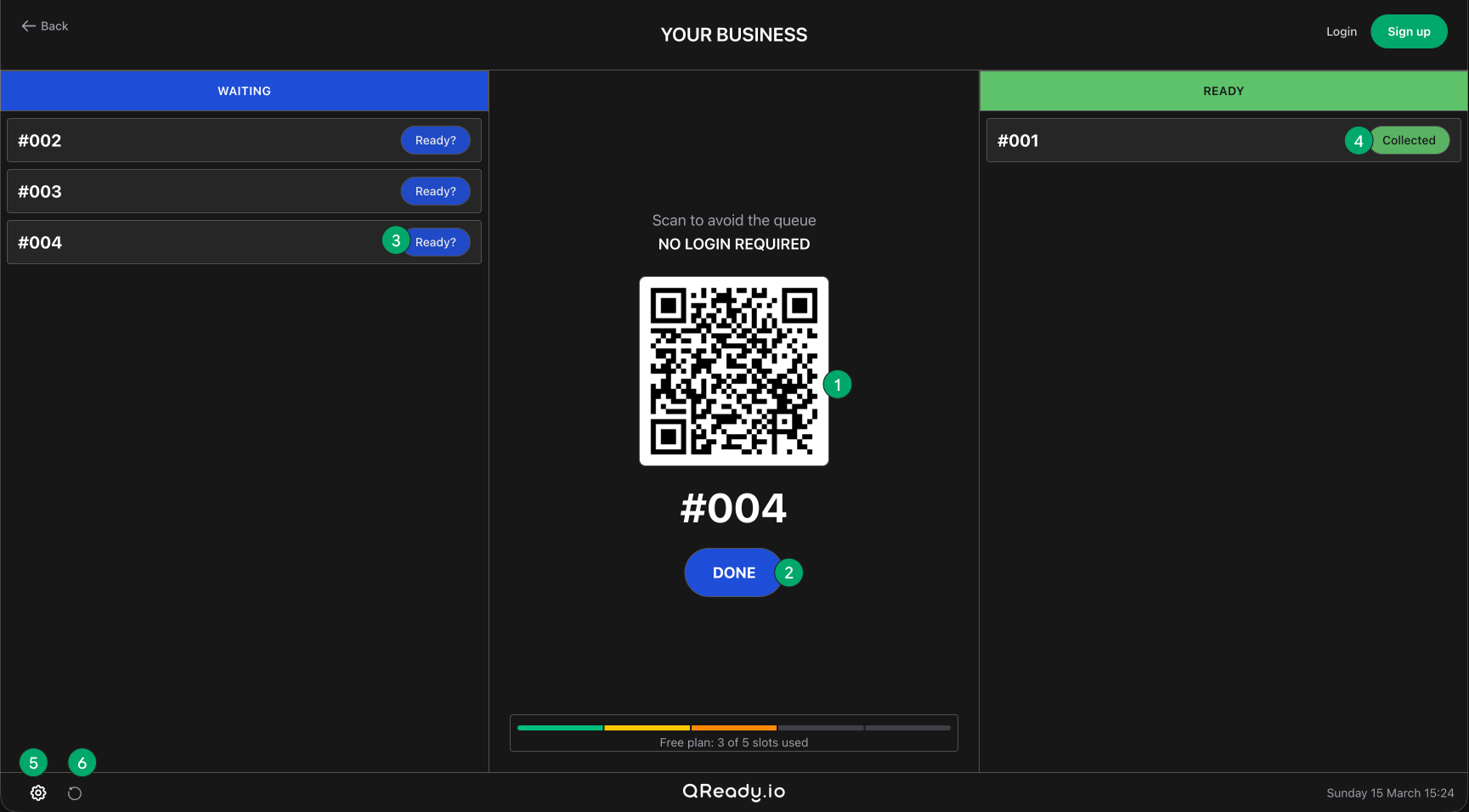
- 1. Join the queue
Customers simply scan the unique QR code to join the digital waitlist on their smartphone. There are no apps to download or logins required.
- 2. Process the next order
Tap the 'Done' button to log the current order and instantly generate a fresh QR code for the next customer in line.
- 3. Notify the customer
When an order or service is complete, tap 'Ready?'. This instantly pings the customer's phone, letting them know it's time to collect.
- 4. Clear completed orders
Once the customer picks up their item, tap 'Collected' to remove it from your active screen and keep your dashboard tidy.
- 5. Custom settings
Click the gear icon to access your dashboard settings. (Note: Customizing your brand colors and customer screens is available on paid plans).
- 6. Reset the board
Tap the refresh icon to instantly clear the queue and reset your order numbers.
Custom settings - The dashboard
Personalise your dashboard and the customer's mobile view by clicking the settings gear icon on your main dashboard.
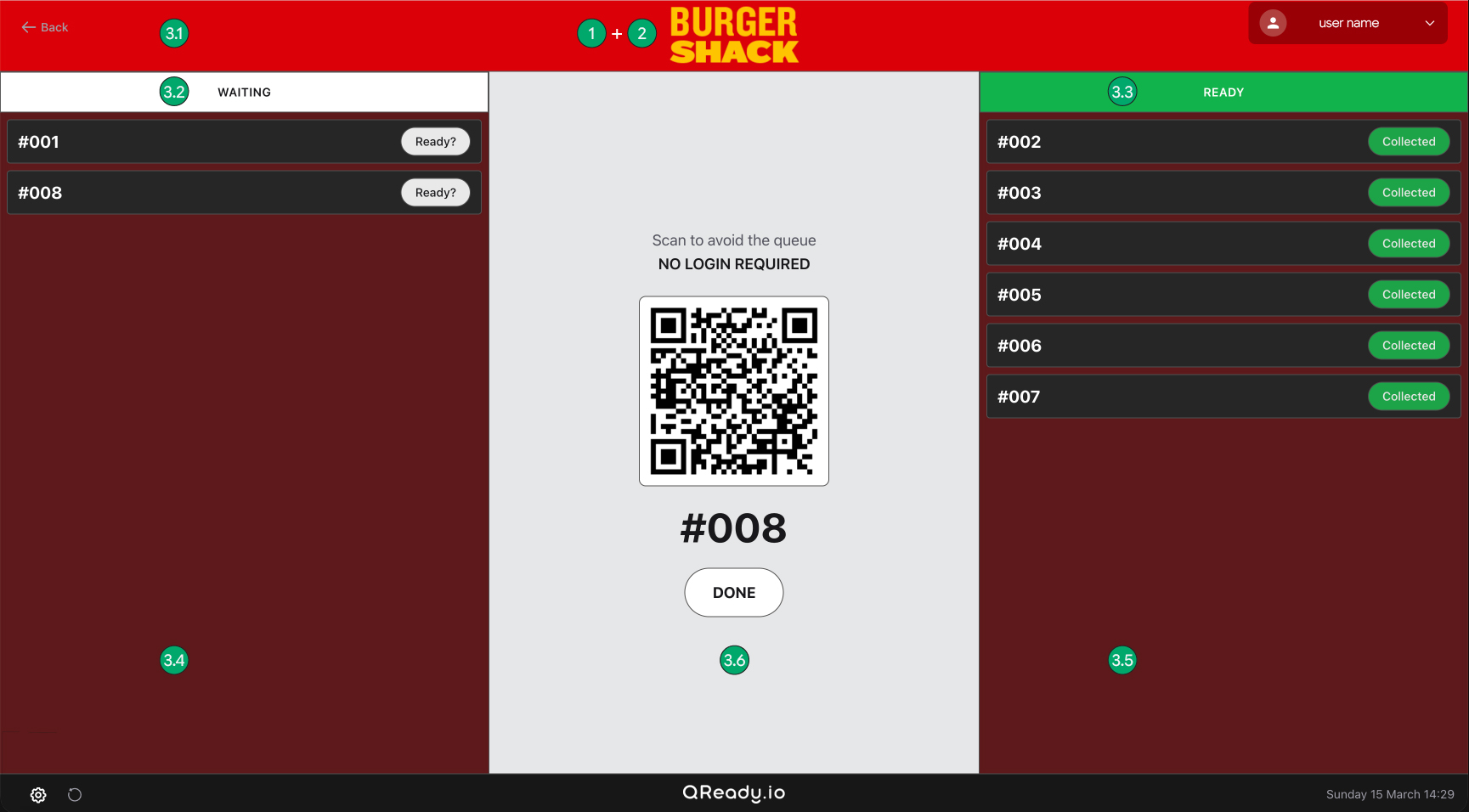
- 1. Business name (Free plan)
Enter your business name and tagline to display at the top of your screen.
- 2. Custom logo (plus and Premium only.)
Upload a logo to replace the text-based business name in the header.
Recommended size: 400x120px (max 2mb).
Tip: We recommend using a PNG file with a transparent background so it sits perfectly on top of any brand colour you choose.
- 3. Interface colours (plus and Premium only.)
Tailor the look of your dashboard using the colour pickers:
- 3.1. Brand colour
- 3.2. Waiting colour
- 3.3. Ready colour
- 3.4. Left column colour
- 3.5. Right column colour
- 3.6. Middle column colour
Custom settings - Handset
Personalise the customer's mobile view by clicking the settings gear icon on your main dashboard.
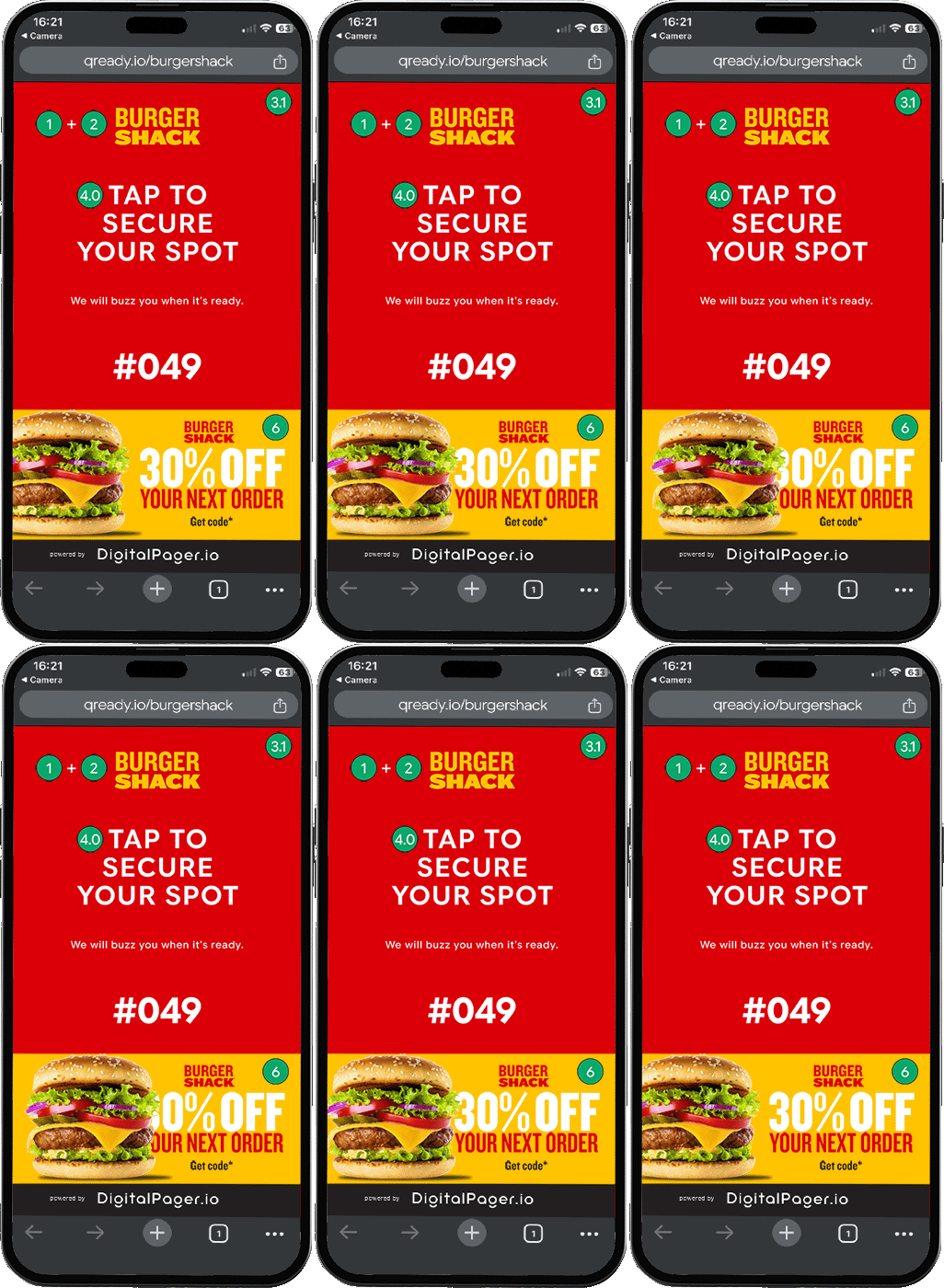
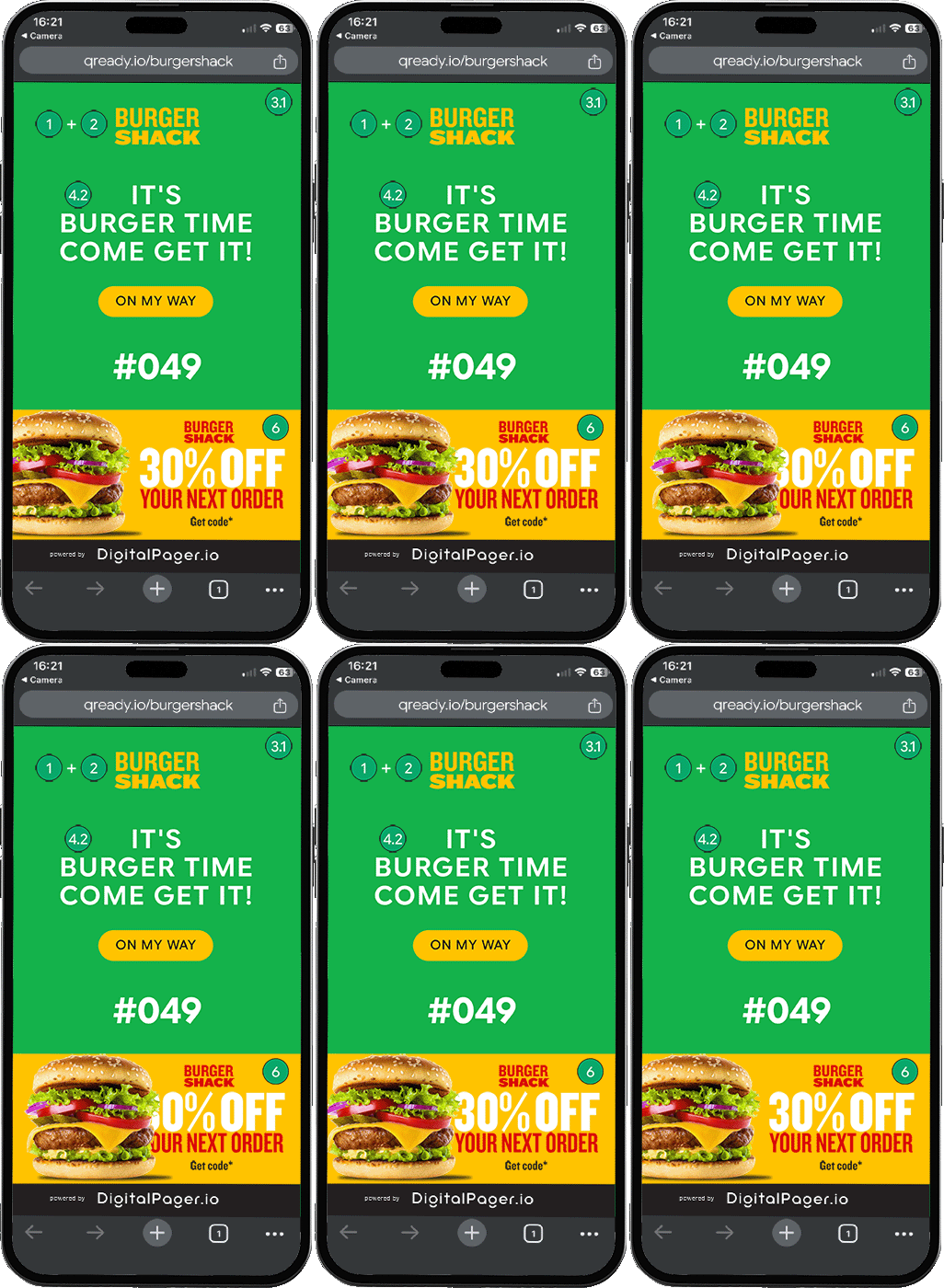
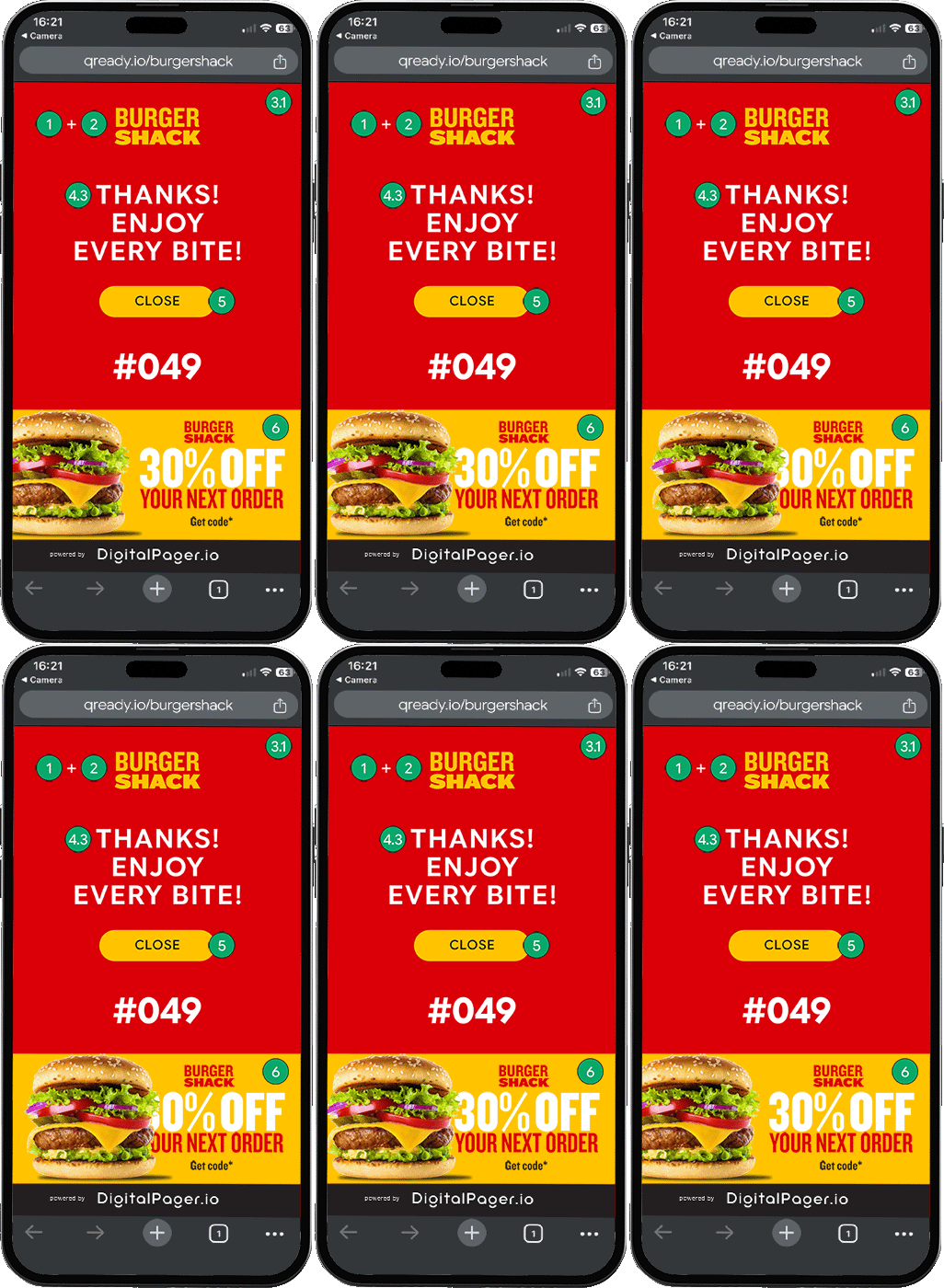
- 1. Business name (Free plan)
Enter your business name and tagline to display at the top of the mobile screen.
- 2. Custom logo (Plus & Premium only)
Upload a logo to replace the text-based business name in the header.
Recommended size: 400x120px.
Tip: We recommend using a PNG file with a transparent background so it sits seamlessly on top of your chosen brand colour.
- 3. Interface colours (Plus & Premium only)
Tailor the look of the customer's mobile view using the colour pickers:
- 3.1. Brand colour
- 3.3. Ready colour
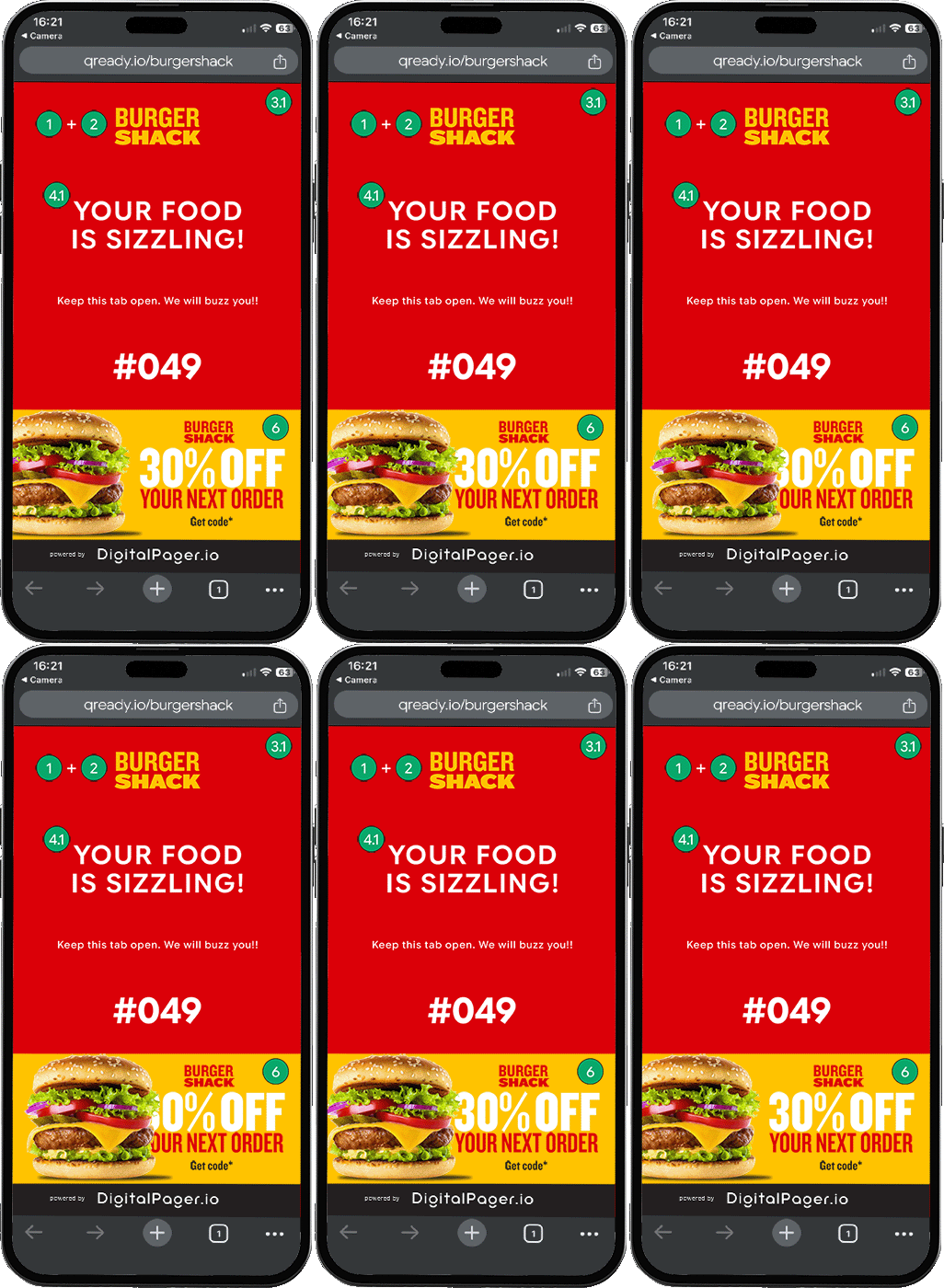
- 4. Key messages on phone screens (Plus & Premium only)
Customize the text your customers see at every stage of their wait:
- 4.0. Activation Message: This initial message (e.g., "Tap to secure your spot") is not editable. It contains critical instructions necessary to prompt the customer to interact with their screen so the phone can receive the final alert.
- 4.1. Queue Message: Customize the text they stare at while waiting (e.g., "Your food is sizzling!").
- 4.2. Ready Message: Customize the text that tells them to collect their order (e.g., "It's burger time, come get it!").
- 4.3. Thank You Message: Customize the final sign-off text they see after collection.
- 5. Custom close button (Plus & Premium only)
Change the button text and add a custom URL to redirect the customer to your Google reviews, social media, or website after they collect their order.
- 6. Add advertising banner (Premium only)
Display a custom promotional banner to customers on their waiting screen.
Dimensions required: 375x170px.
Max file size: 2MB.
Supported formats: JPEG, PNG, WebP, GIF.
Tip: We highly recommend using an animated GIF to really grab attention and upsell your products!